How do I request a refund if I have overpaid?
Additional Information
| Before you start: Payble processes payments but doesn't hold or manage Council funds, so refunds can't be issued by Payble directly. You'll need to contact your Council to request one. |
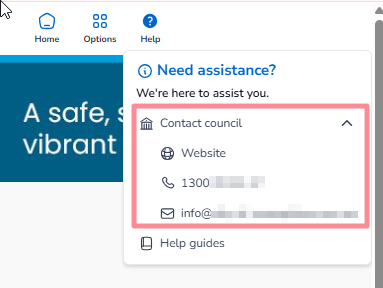
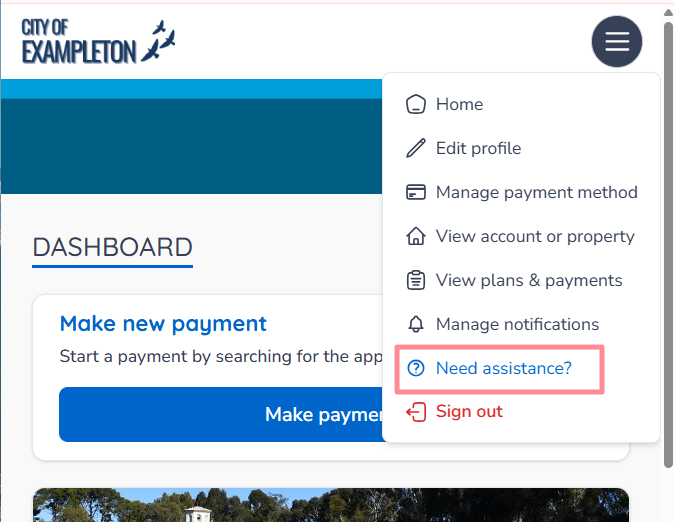
If you've overpaid and are owed a refund, your Council handles this directly rather than Payble. You can reach your Council through the Need Assistance or Help button in the Payble application, whether you're on a desktop, mobile or tablet browser.
Request a refund from a desktop browser
Click the Help button in the top right corner of the window to contact your Council.
Request a refund from a mobile or tablet browser
Open the menu button to find the Need Assistance? button, as shown below.
Was this article helpful?
That’s Great!
Thank you for your feedback
Sorry! We couldn't be helpful
Thank you for your feedback
Feedback sent
We appreciate your effort and will try to fix the article