How do I make a payment early?
This article explains how you can make a payment early.
Additional Information
| Before you start: It's important to note that not all plans will have this option. Paying a payment early will bring the deduction forward to be processed immediately. There is no reversal for this process once started. |
How-to
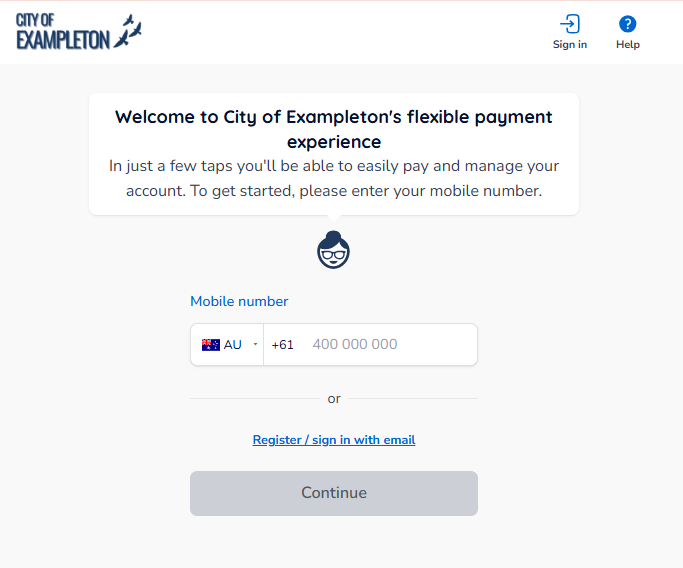
To make changes or view your plans in Payble, sign in using the same authentication method you used when setting up your plan (mobile or email). You will not be able to view your plan if you haven’t authenticated with the exact same method.
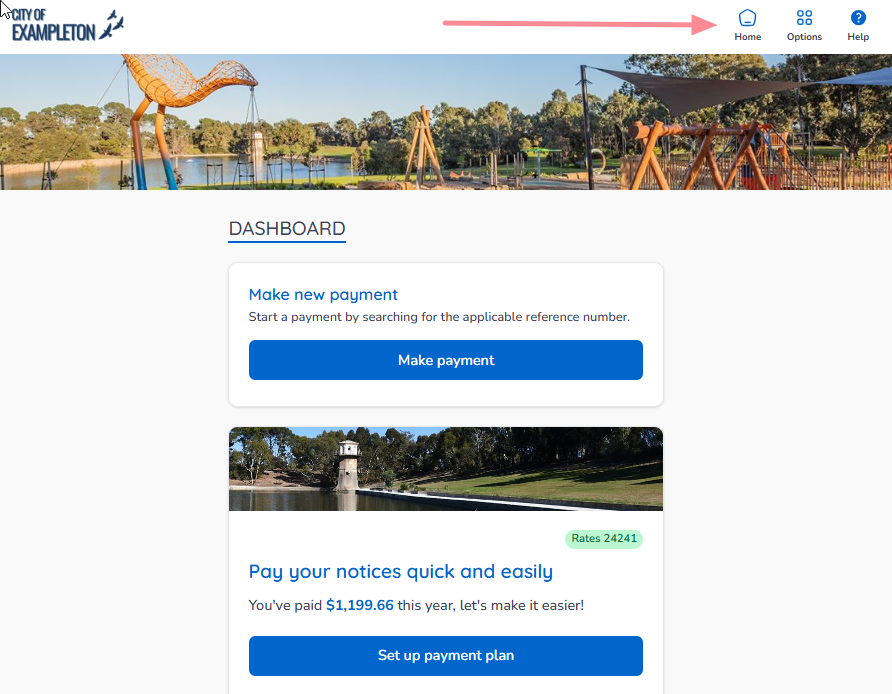
If your plans and payments don’t appear right away, click your council’s logo at the top of the page to return to your profile, or use the Home button. On a desktop browser, the Home button is located on the top banner.
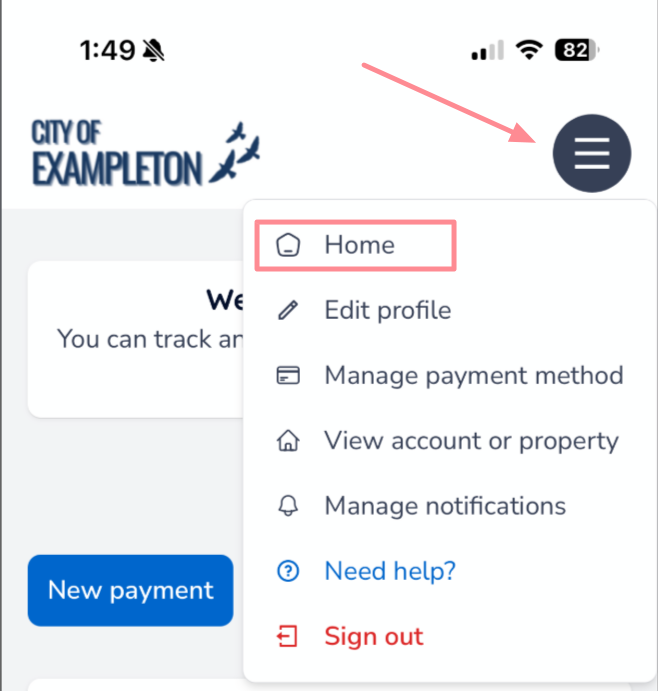
On a mobile or tablet browser, the Home button is located under the menu button.
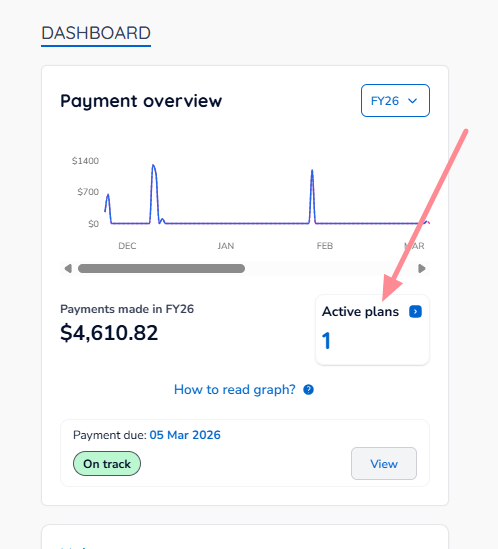
Once you are on your Home page, click the Active Plans box.
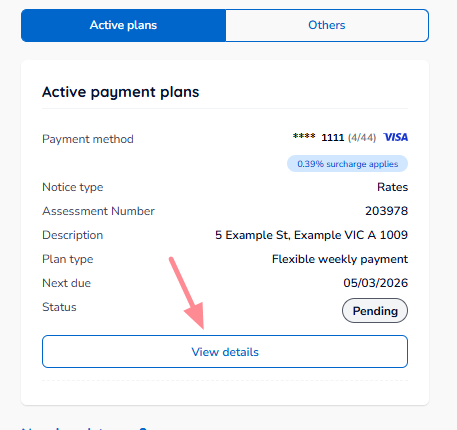
Scroll to the plan you want to modify, then click View details.
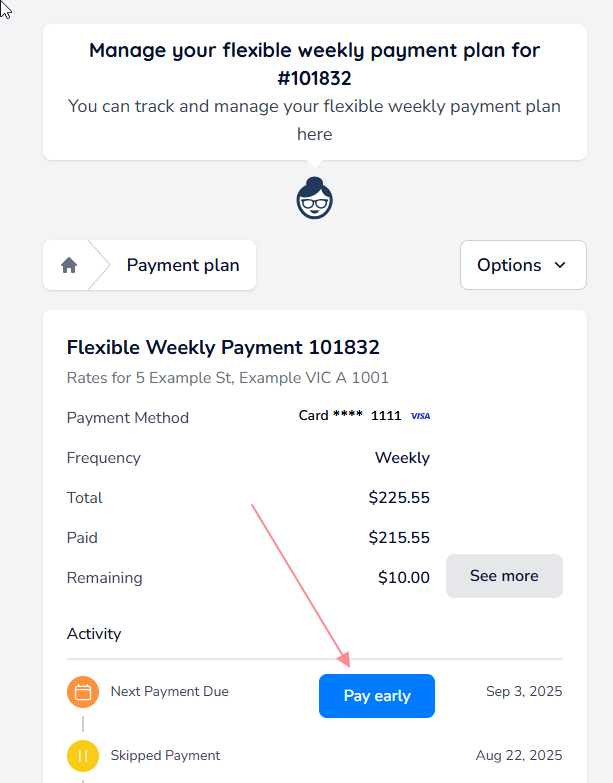
The summary of the plan will be shown. You will see a Pay early button for the next payment. Click Pay early.
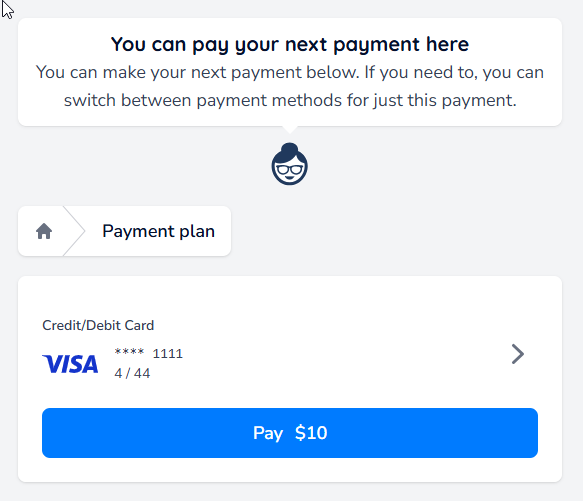
A confirmation screen will appear. By default, the payment will use the payment method attached to the plan, but this can be changed if needed.
You can change payment methods by clicking the arrow to the right of the window.
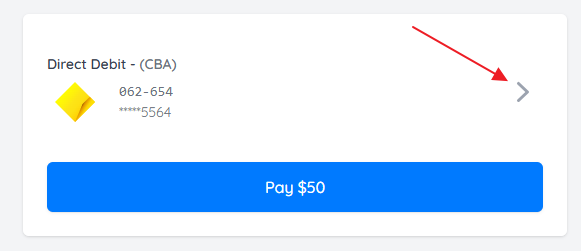
Once you have selected the correct payment method, click the Pay $amount button at the bottom of the window.
Was this article helpful?
That’s Great!
Thank you for your feedback
Sorry! We couldn't be helpful
Thank you for your feedback
Feedback sent
We appreciate your effort and will try to fix the article