How do I manage my notification methods?
This document explains how you can adjust your methods for receiving notifications.
Mentionable item
Payble is required to send some notifications (like a notification for a failed payment attempt, or plan cancellation) to your authentication method. The authentication method is the mobile or email address that you use to sign in to Payble. These mandatory notifications cannot be disabled.
How-to
To change your profile, notification methods or view your plan in Payble you will need to sign in using the same authentication method you used when setting up your plan (mobile or email). You will not be able to view your plan if you haven’t authenticated with the same method. 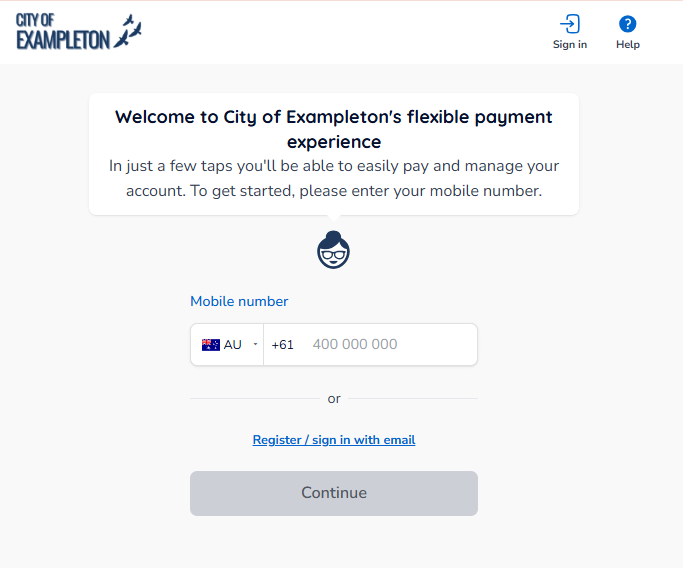
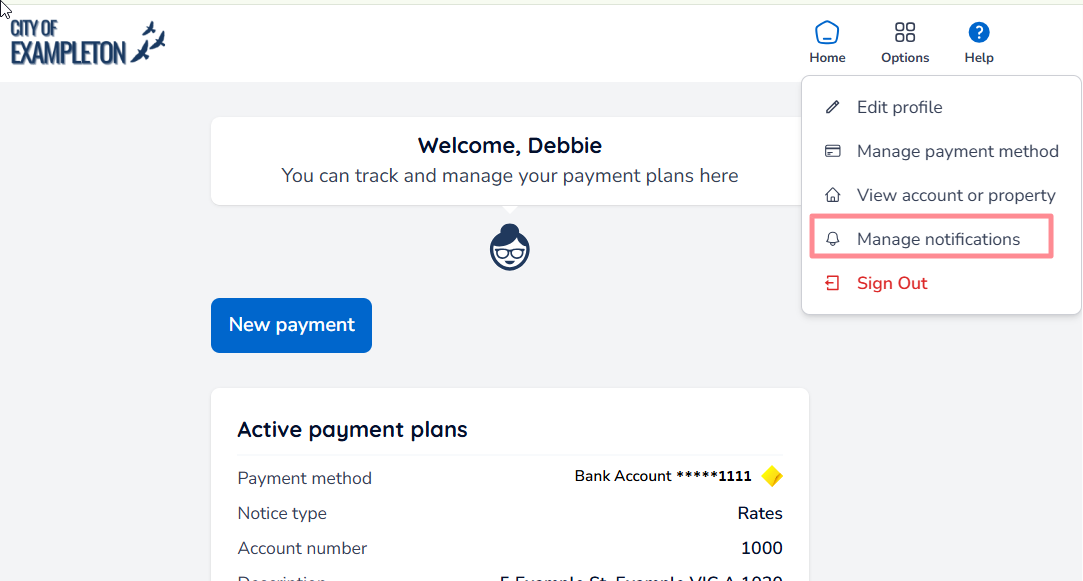
After you sign in to Payble, if you are using a desktop browser, you will need to click the Options button on the top banner, and then Manage notifications.
If using a mobile browser, click the Menu button and then Manage notifications.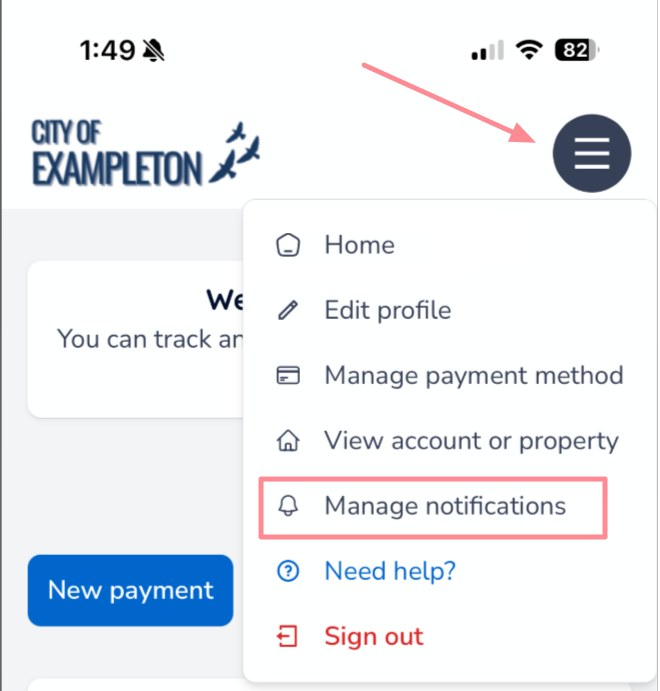
You can now toggle your notification preferences (pending you have both an email and a phone number added to your account - see How do I change my contact information?)
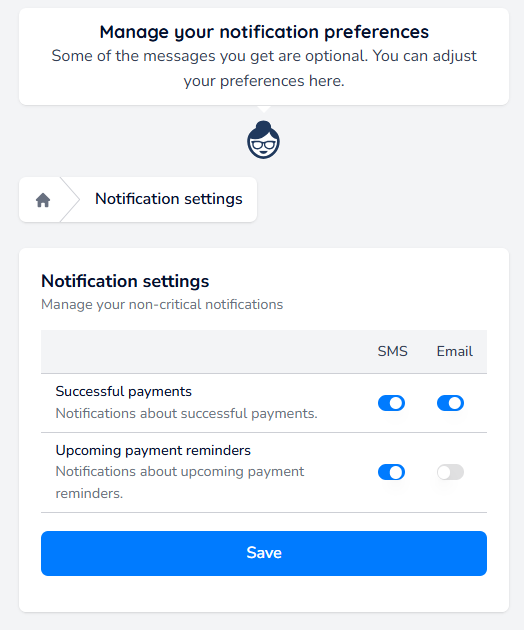
Toggle the required changes, and then click Save.
Was this article helpful?
That’s Great!
Thank you for your feedback
Sorry! We couldn't be helpful
Thank you for your feedback
Feedback sent
We appreciate your effort and will try to fix the article