Pay an Infringement in Full
Additional Information
| Before you start: You don't need to sign in to pay an infringement. Just have your infringement notice and a credit card ready. Depending on your council, you may also be able to set up a flexible payment plan instead of paying the full amount. |
Settle your infringement in a few minutes from your phone or computer, with no login needed. Here's how to pay it in full.
Step 1: Find your infringement
Scan the QR code on your infringement notice, or go to your council's website.
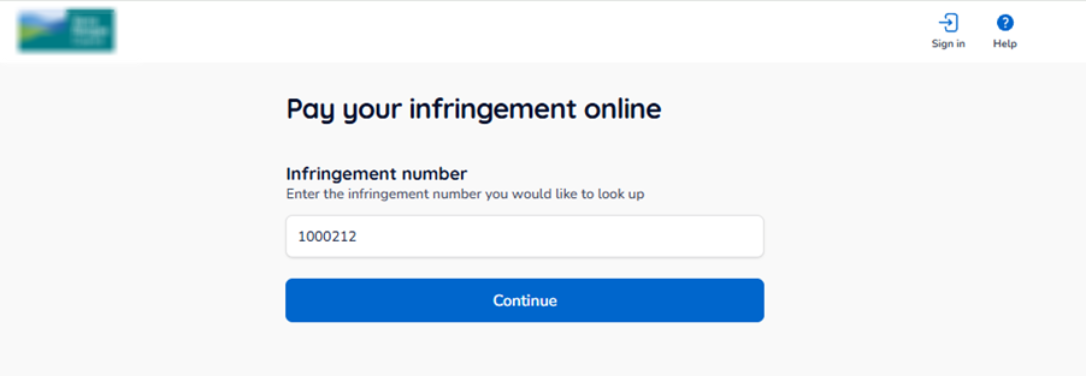
Step 2: Enter your infringement number
Type in the infringement number from your notice, then select Continue.
Step 3: Review your infringement details
Check the infringement details, due date and any other important information.
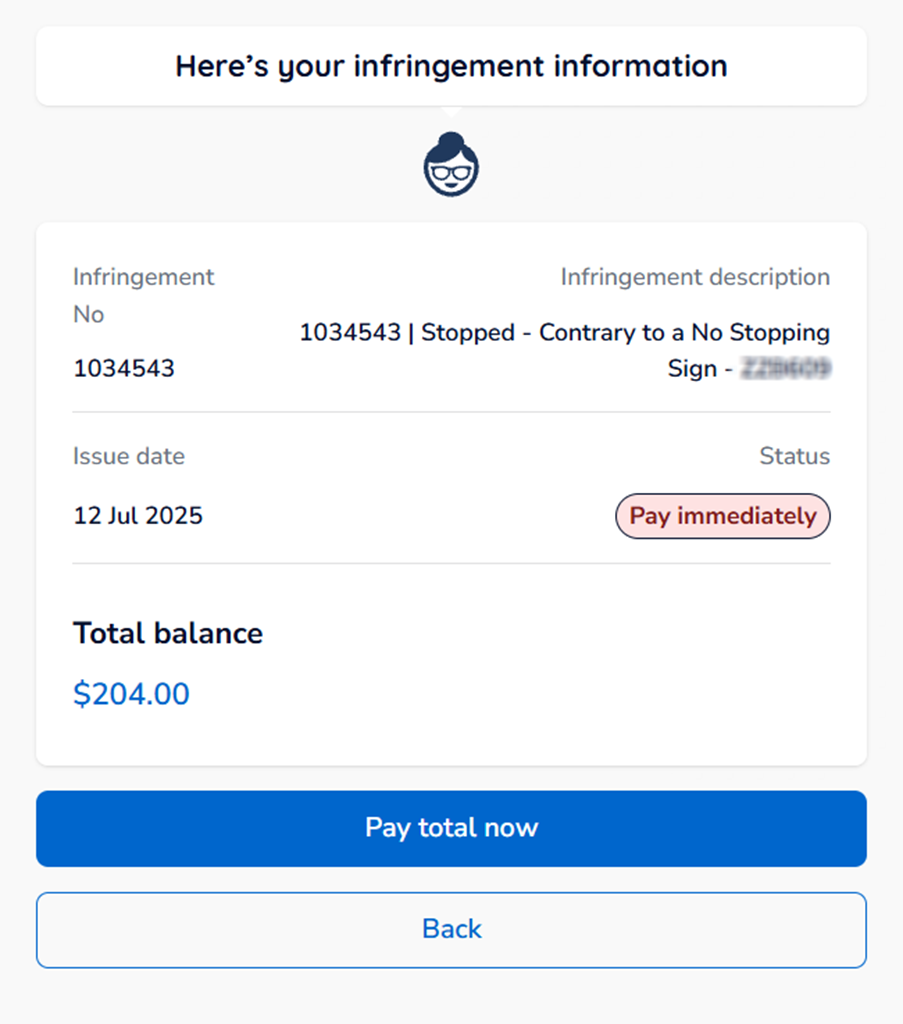
| Tip: Depending on your council and the plans it offers, you may see an option to set up a flexible payment plan instead of paying the full amount now. |
Step 4: Pay the total amount
Select Pay total now to go to the payment screen.
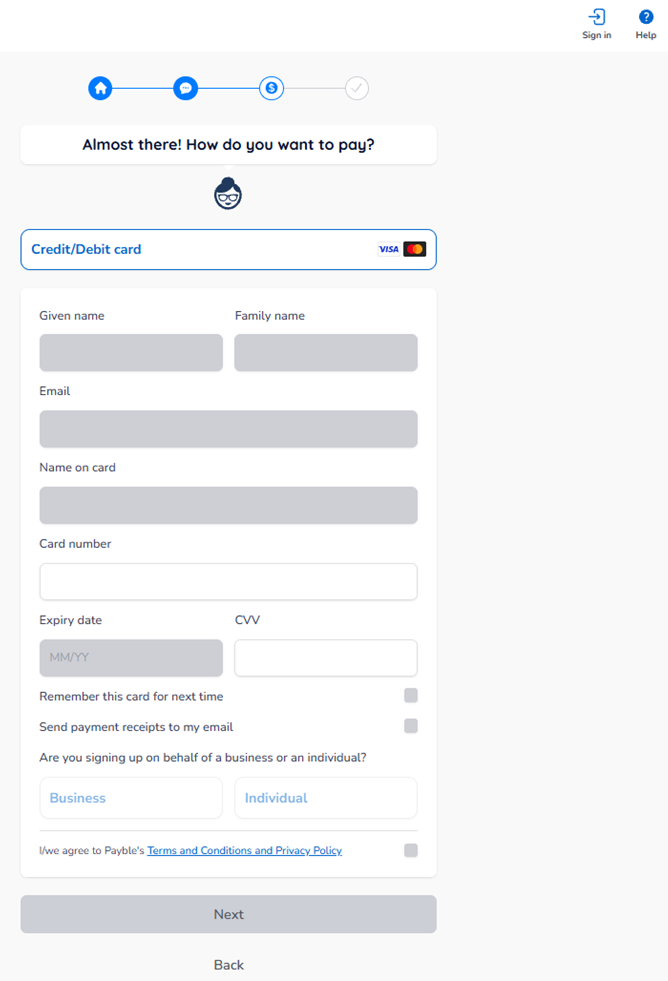
Step 5: Enter your payment details
Enter your credit card details and any other required information, then select Next to continue.
Was this article helpful?
That’s Great!
Thank you for your feedback
Sorry! We couldn't be helpful
Thank you for your feedback
Feedback sent
We appreciate your effort and will try to fix the article